LET’S PUT A STOP TO HUMAN TRAFFICKING.

STP is a mobile app for people in danger of trafficking. Share your live location with people you trust, get turn-by-turn directions to a safe place nearby, and ask for help from the community around you, without having to go through police.

Our Story

STP, Inc. was founded by Jaime Patton. The company holds a granted U.S. patent covering the thing that makes the app different: a person in danger can ask for help from the community around them without having to go through the police or other applicable authorities.
‍
That cuts both ways, and it is meant to. Someone who cannot safely call the police still has a way to reach help. And the people most likely to notice something wrong, like hotel staff, rideshare drivers, truckers, teachers and neighbors, have a way to act without reporting directly and risking retaliation.
‍
We are building the app now. The East Side of Atlanta is where we're starting, and we are looking for the local partners who make a safe place real.

Where We're Starting

STP starts on the East Side of Atlanta. It's our founder's own neighborhood, not a market picked off a map.
‍
That choice is the whole method. A safe place is only a safe place if a specific door opens, a specific person is behind it, and someone has agreed in advance what happens when a person walks in scared. That work is local, it happens one conversation at a time, and it does not scale ahead of itself.
‍
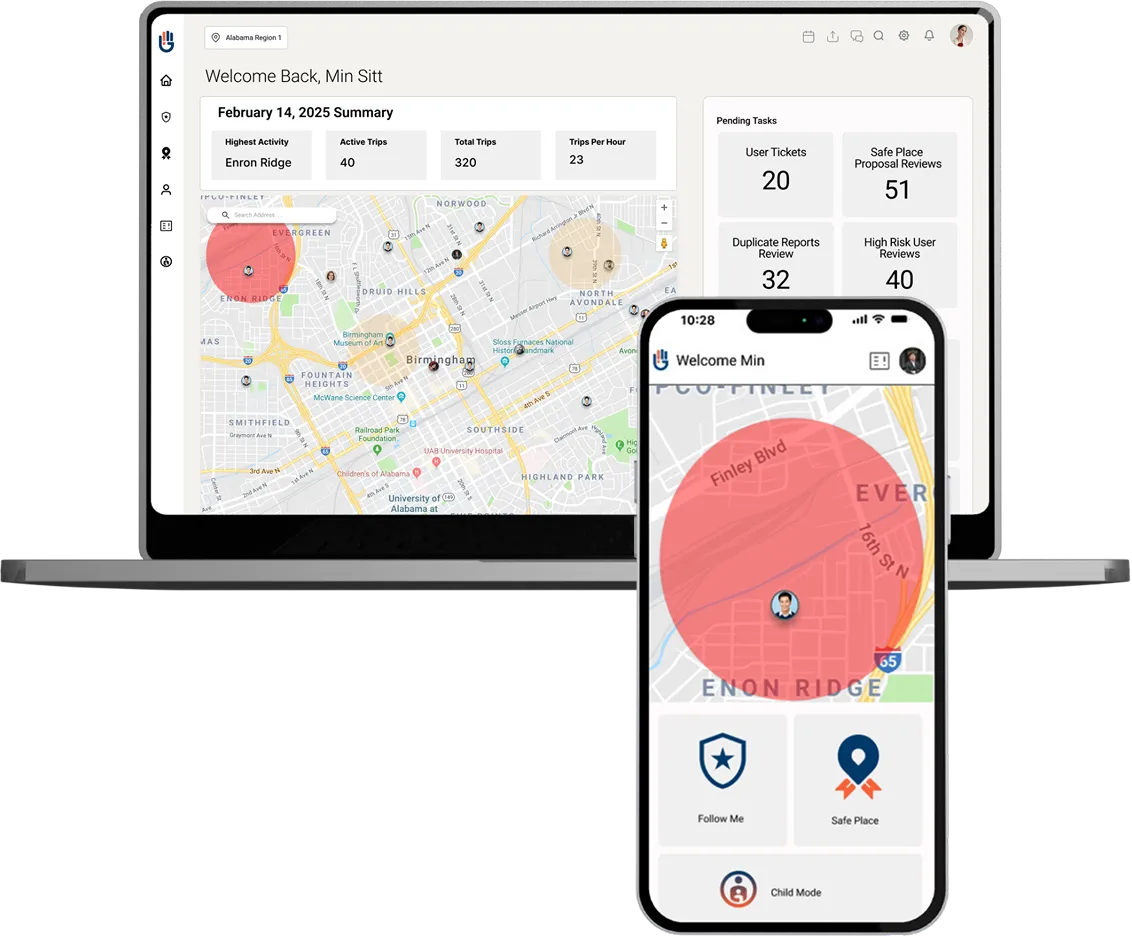
So here is exactly where things stand. STP is not live in Atlanta. We have no partner locations to announce, and we are not going to name any before they exist. The safe places on the screens above are examples: the categories a network gets built from, like a library, a church, a clinic, or a shop with a staffed counter. They are not real locations, and no business shown has agreed to anything.
‍
What is real is the part that comes first: finding the organizations, businesses and congregations already serving as the place people go when something is wrong on the East Side, and asking them to be that on the map too.
Become a Safe Space

If you run somewhere on the East Side where a person in trouble could walk in, start a conversation with us. Nothing gets signed on a first call. We would rather define what a Safe Space partner commits to alongside the people who would be first to do it than hand anyone a form.

Be Part Of The Network

STP works because of the people already on the block, the ones who would help if there were a safe way to. Join the waitlist and we'll tell you when the app is ready, and how to put your own location forward as a Safe Space for review.

Join the Waitlist

How STP works

Look at the STP mark: a right hand, four fingers up, thumb folded in. It's the signal a person makes when they can't say out loud that they need help. The app works the same way: a way to ask for help without announcing it.

*STP is not an emergency service and does not replace 911. If you are in immediate danger, call 911.

Ask for help without going through police

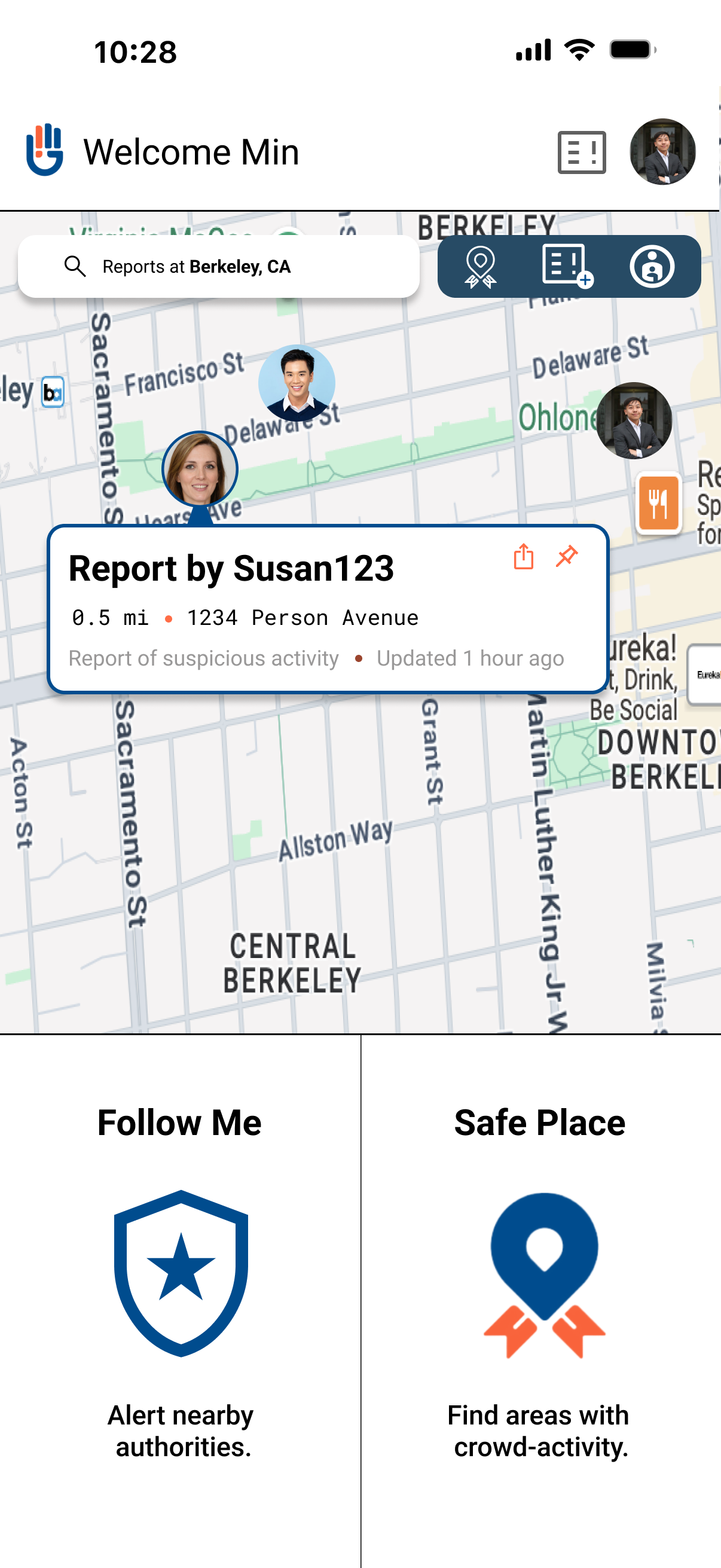
STP lets you send out a request for help that reaches other users near you, without having to go through the police or other applicable authorities. Help can come from the block you're standing on. If you want authorities brought in, that's your call.
‍
When STP's patent was filed, no mobile application did this: guide a person to a nearby safe location and let them request help directly from the community. That gap is what STP was built to close.
‍
The same screen lets you post an alert about suspicious activity in your area, or update your status so the people watching out for you know where things stand.

Follow Me

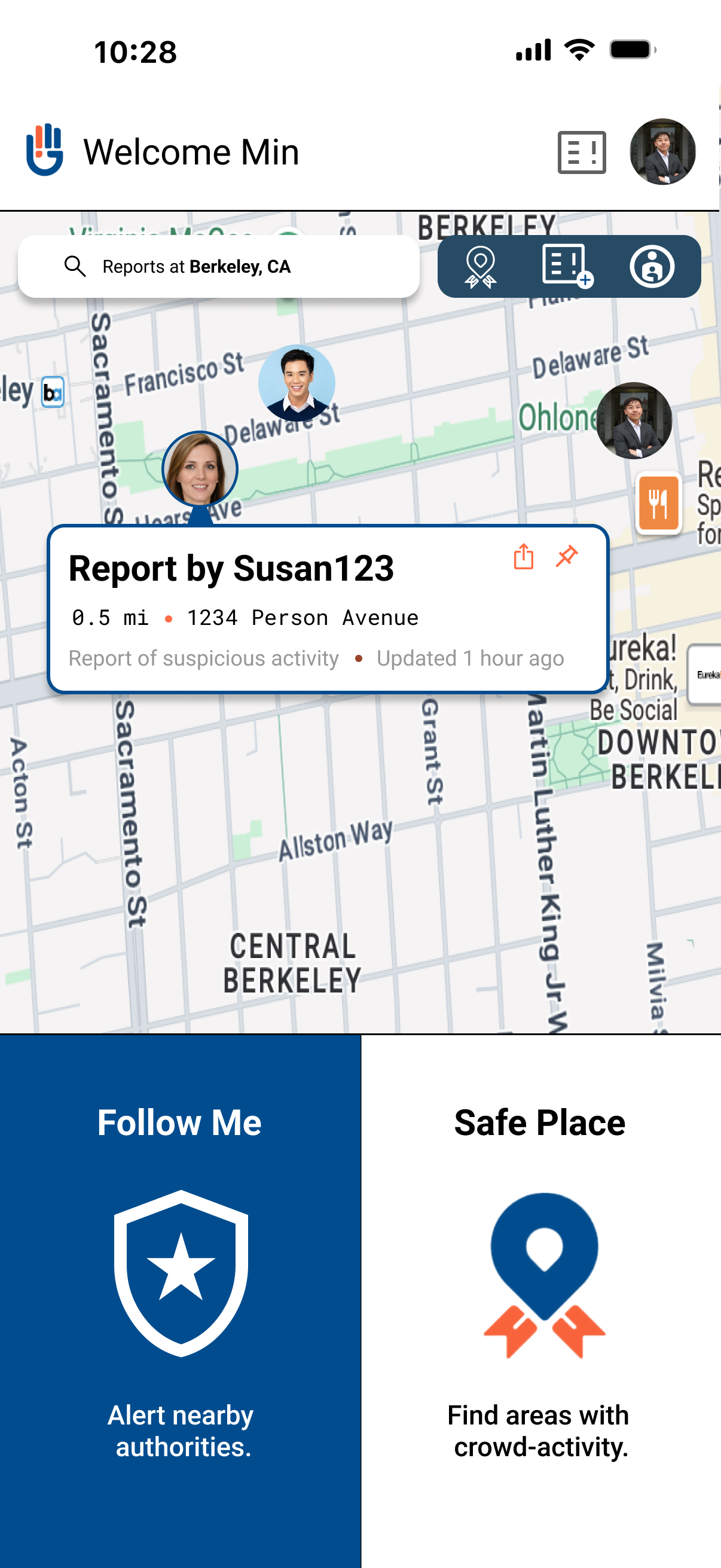
The app opens on two modes. Follow Me is the first, and it starts in one action, because the person who needs it may be standing next to someone they don't want to alert.
‍
Once it's running, your live location goes to the trusted contacts you've chosen, and to authorities if you include them. You can chat or call inside the session, so you're not switching apps to explain what's happening. When you're safe, you mark yourself safe and the session ends.

Find a safe place

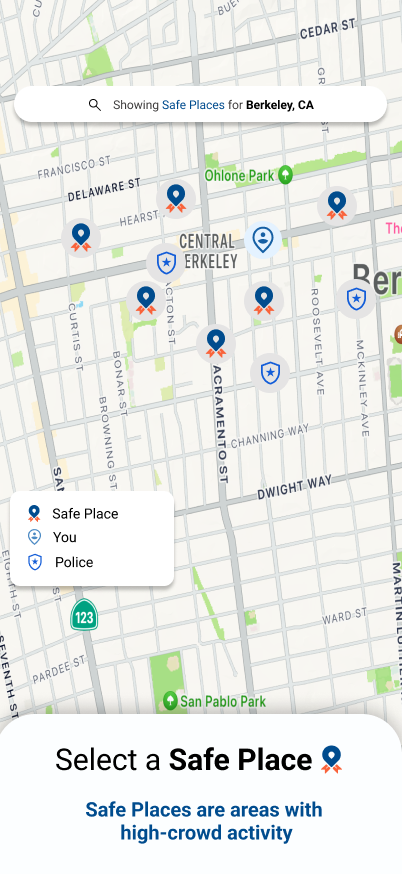
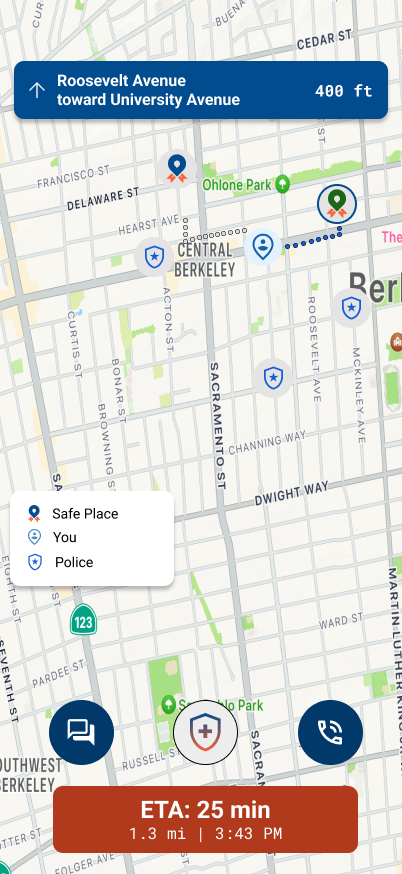
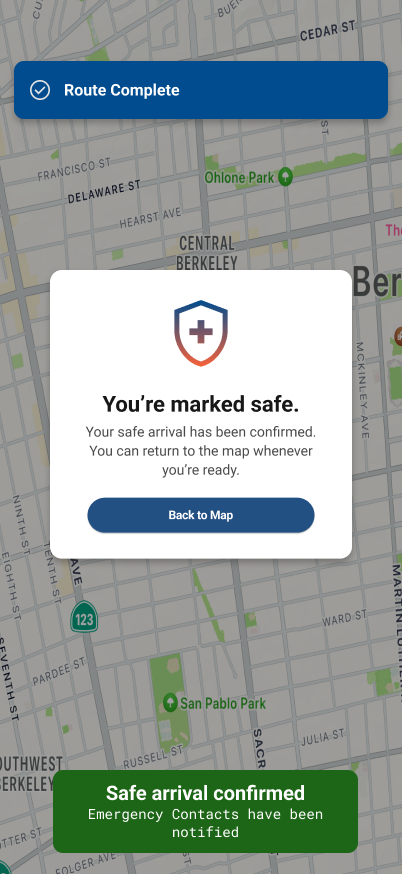
Safe Space is the second mode. STP shows you the safe places near you and gives you turn-by-turn directions to the one you pick. It looks the same as navigating anywhere else, because that is what it should look like to anyone watching. When you arrive, confirmation goes to your emergency contacts. Nobody is left guessing whether you made it.

Community safe places

Safe places come from the people already on those streets. A member can put their own location forward: a library, a church, a clinic, a shop with a staffed counter. Every proposal is reviewed and approved by a local authority, with a defined boundary, before it appears on anyone's map. The network is built by the neighborhood and checked before anyone relies on it.

Who verifies users

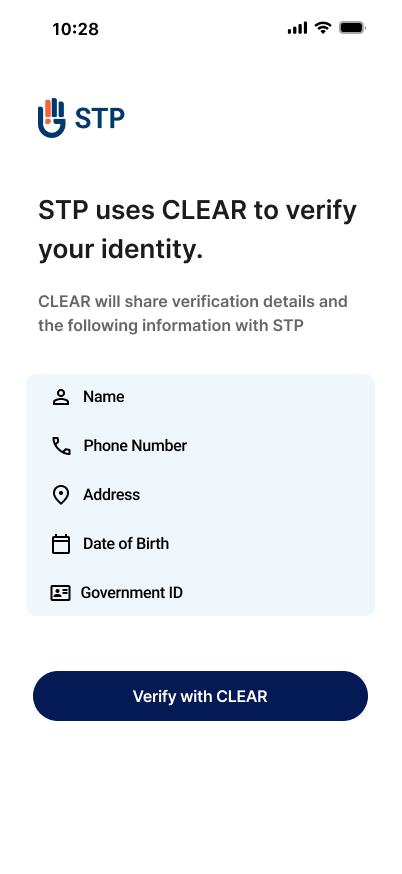
Every user verifies their identity at sign-up. Onboarding runs on CLEAR's identity verification: a selfie and a government ID, checked before the account is active. That check is why a request for help can be trusted by people you have never met. It answers the first question anyone asks about an app like this: what stops the wrong person from using it.

What authorities see

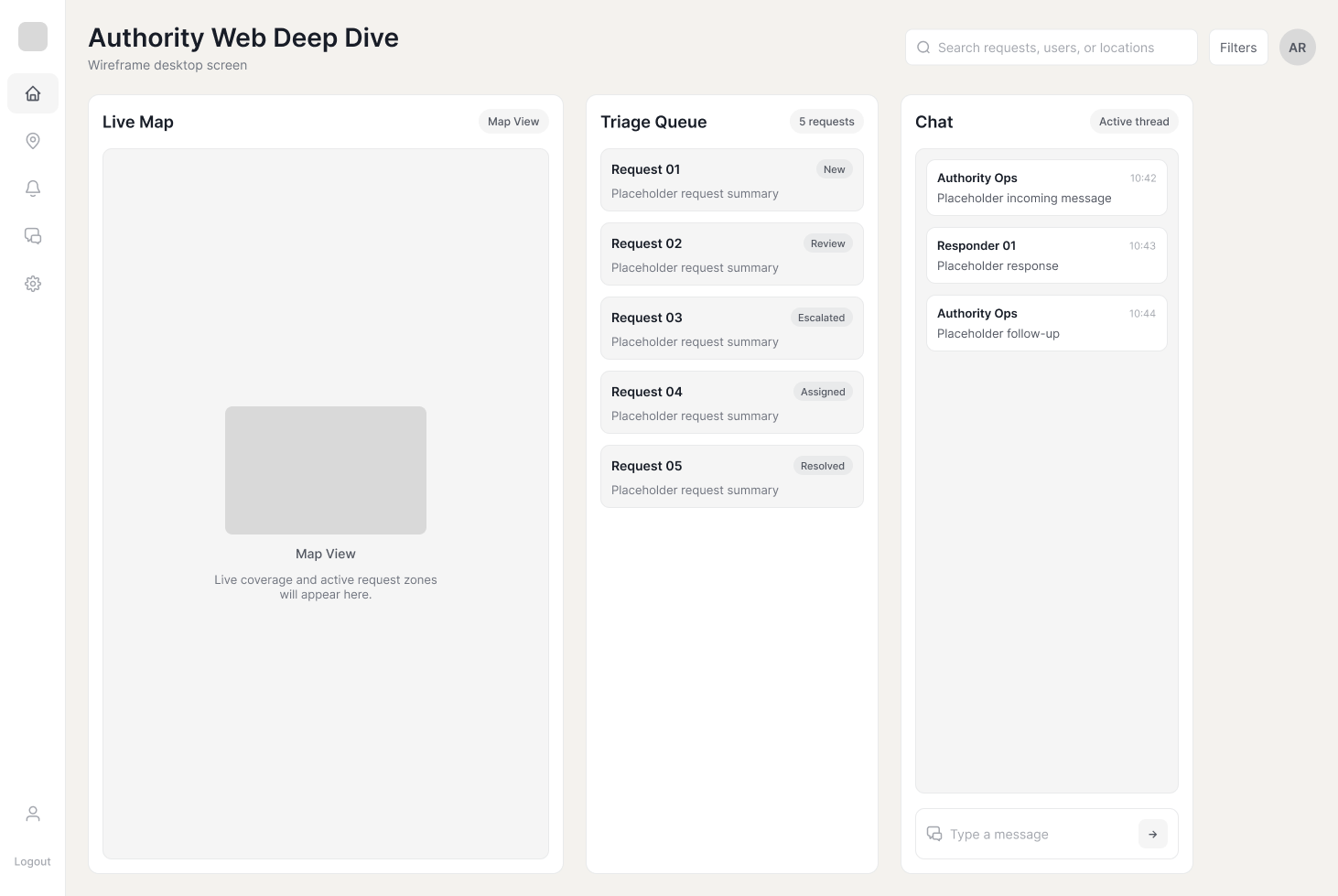
Authorities and Safe Space partners work from a web dashboard: a live map of active alerts, a queue to triage them, and a chat to talk directly with the person who raised one. Responding happens in the same place the alert appears, so nothing waits on a phone tree.

Inside the App

Seven screens, in the order someone would use them.

STP app screen for requesting help or posting an alert
01 / 07

Request help or post an alert

Ask for help without going through police. The request reaches verified users nearby. The same screen posts an alert about suspicious activity in the area.

←
→
STP app screen with Follow Me active
02 / 07

Follow Me active

Follow Me starts in one action. Your live location goes to the contacts you chose, with chat and call inside the session.

←
→
STP app screen showing the Safe Space locator map
03 / 07

Safe Space locator

Safe Spaces near you, on East Side streets you already know. The categories shown are examples: a library, a church, a clinic, a staffed counter.

←
→
STP app screen showing turn-by-turn navigation to a Safe Space
04 / 07

Turn-by-turn navigation

Turn-by-turn directions to the Safe Space you pick. On screen it looks like any other navigation, because that is what anyone watching should see.

←
→
STP app screen confirming arrival and marking yourself safe
05 / 07

Arrival confirmation and mark yourself safe

You arrive, and confirmation goes to your emergency contacts. Mark yourself safe and the session ends. Nobody is left guessing whether you made it.

←
→
STP app onboarding screen with CLEAR identity verification
06 / 07

Onboarding with CLEAR identity verification

Every account is verified before it works: a selfie and a government ID, checked at sign-up through CLEAR. That check is why help can be trusted.

←
→
STP authority web dashboard with a live map of active alerts
07 / 07

Authority web view, desktop

What authorities and Safe Space partners see: a live map of active alerts, a queue to triage them, and chat with the person who raised one.

←
→

Be An Ally

We'd love to hear from you!

Thank you! Your submission has been received!
Oops! Something went wrong while submitting the form.

If you are in immediate danger, call 911.
STP is not an emergency service.
For confidential help any time, the National Human Trafficking Hotline is 1-888-373-7888, or text 233733.